
MANAGER APPROVALS
Mobile workflow for managers to review and approve on-hand inventory adjustments
overview
Used by managers across 2,000+ store locations
Approval delays were causing inventory inaccuracies at scale
Baseline usability score: 25 — the original experience failed basic usability criteria
Redesign brought UX score to 95, ease of use from 0 to 100
the challenge
Inventory approvals were critical but slow and inconsistent across stores.
Managers lacked the context needed to make fast, confident decisions.
This caused delays, inventory inaccuracies, and operational inefficiencies.
Opportunity: streamline approvals into a fast, decision-ready workflow
Discovery
Set out to understand how managers complete approvals across multiple tools and workflows in-store

RESEARCH
Conducted contextual interviews with managers to understand how they handle different approval types
Identified delays caused by managers switching between multiple screens and tools
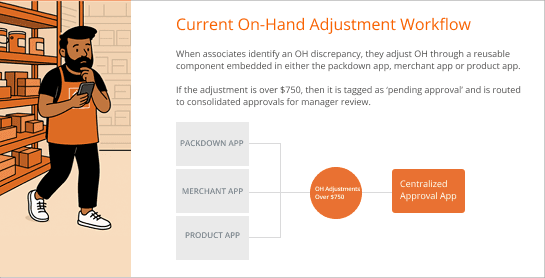
Mapped approval workflows across the store, not just within the primary approvals tool
key insights
Approval types lacked consistent patterns
Switching between systems slowed decisions
Key data missing at decision points
Outcome: Clarified the end-to-end manager approval experience, identifying key pain points to address in the on-hand approval flow
Ideation
Rapid ideation to explore as many paths as possible and consider technical and budgetary constraints.
Approach
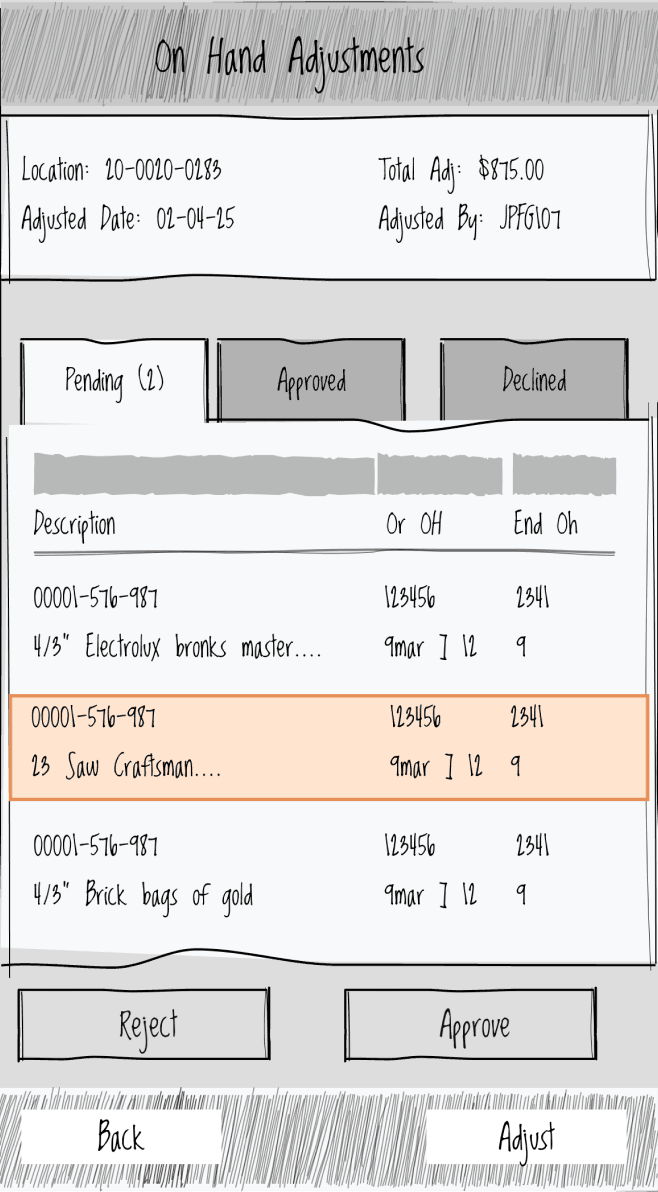
Leveraged familiar approval patterns and structure
Enhanced with key data (location, associate name)
Refreshed with updated enterprise UI
Pros
Familiar interaction model
Lower implementation risk
Cons
Missing SKU location details
Lacking product image for ease of identification
Still multiple steps to complete approvals
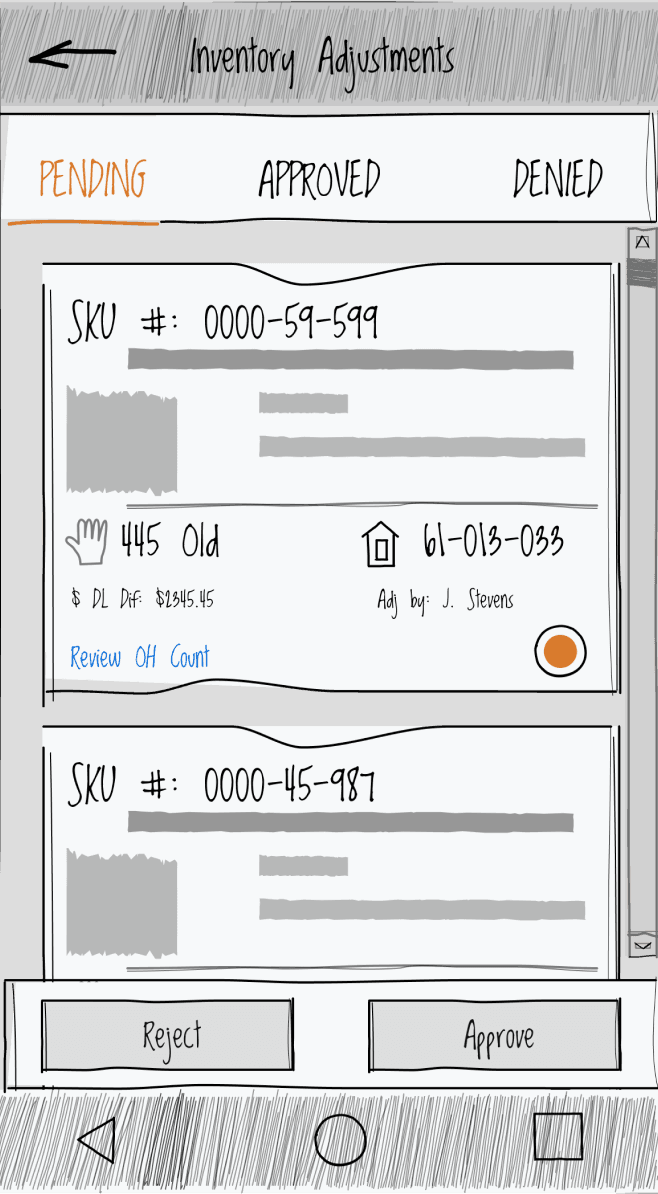
OPTION B: ADAPT PRODUCT CARD
Approach
Used a modern enterprise product card to surface key information
Enabled multi-location visibility and real-time OH adjustments
Added images for quick identification
Pros
Faster decision-making
Reduced cross-referencing
Leverages enterprise design system components
Cons
Higher implementation effort
Larger system change
DECISION
Selected option B, a product card approach that consolidated decisions into a single, scannable view—reducing steps and improving speed of approval.
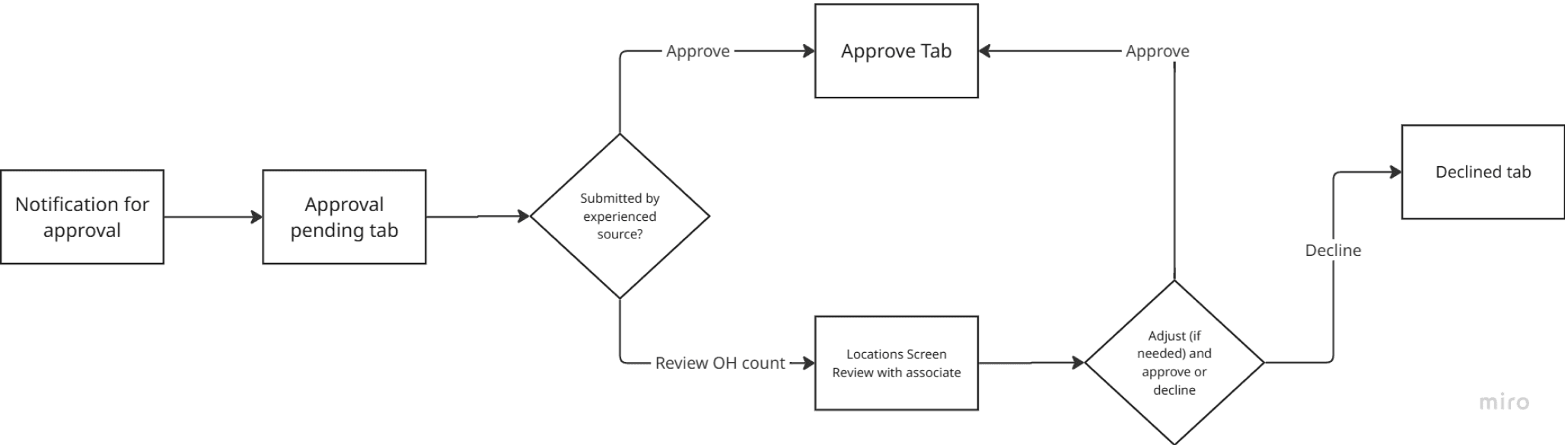
END-TO-END APPROVAL FLOWS
Covered primary and secondary approval paths, including edge cases
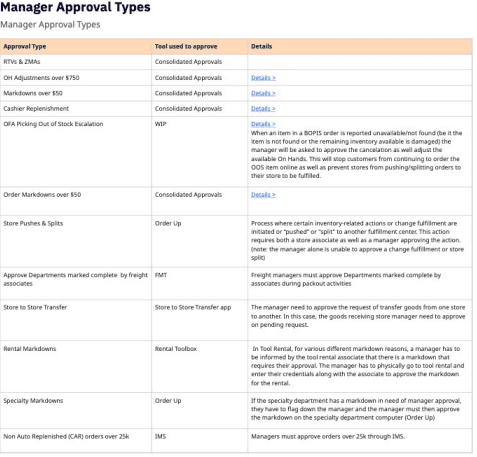
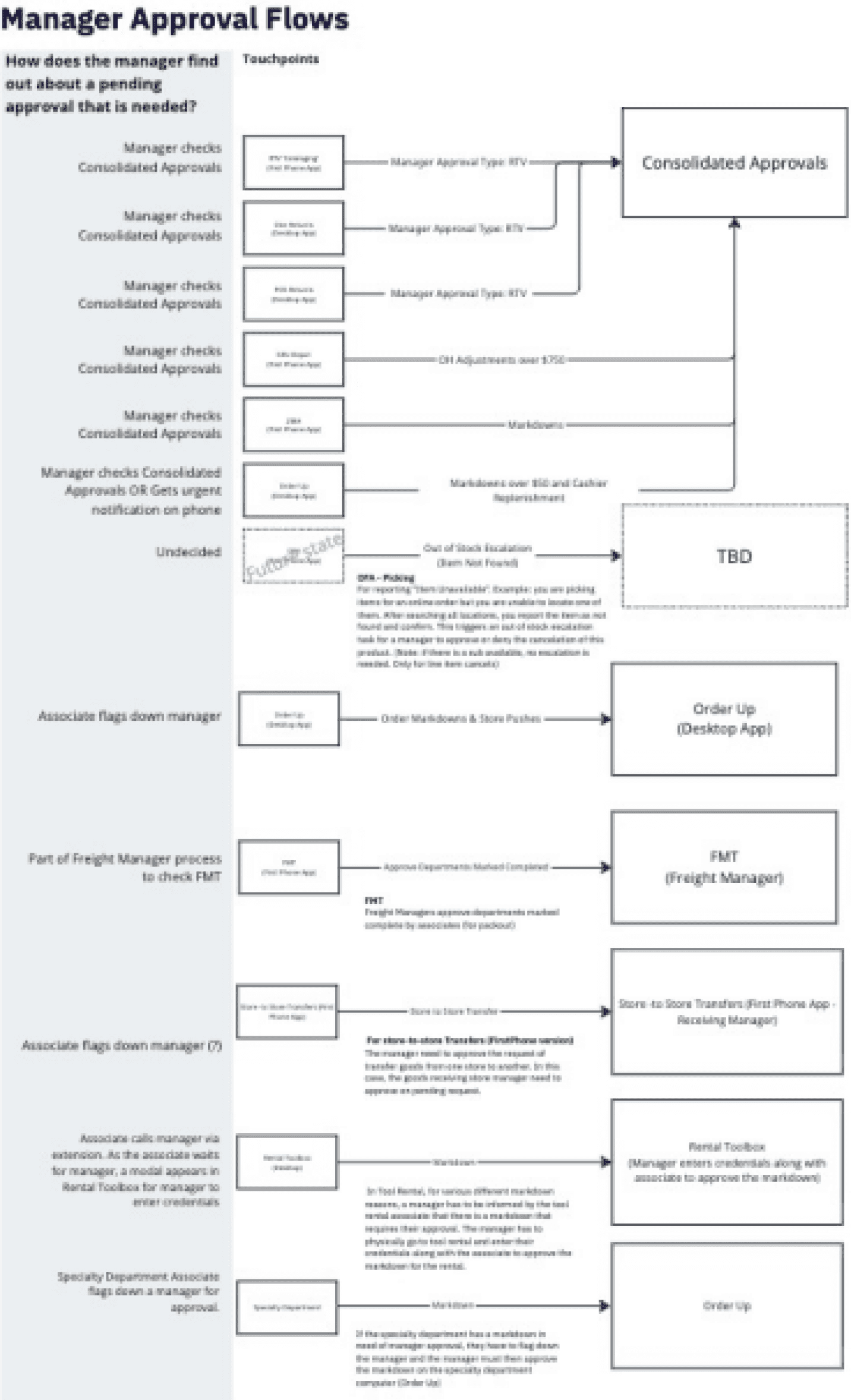
MAPPING THE APPROVAL ECOSYSTEM
Identified approval types across store systems
Documented tools used for each approval
Clarified cross-team dependencies
Created a shared view to support modernization
ENTRY POINT
Evaluated entry points to determine how to integrate approvals.
Option A: Utilize Existing Tasking Platform
Integrated approvals into the existing tasking platform to fall in line with existing store tasking strategy. Required integration by a product team that was not budgeted for the year.
Option B: New Home Screen Icon
Created a standalone approvals experience using familiar patterns for associates. Faster to implement with fewer dependencies, but added another tool to an already crowded ecosystem.
Decision
Selected a new home screen entry point to enable faster implementation with fewer dependencies.
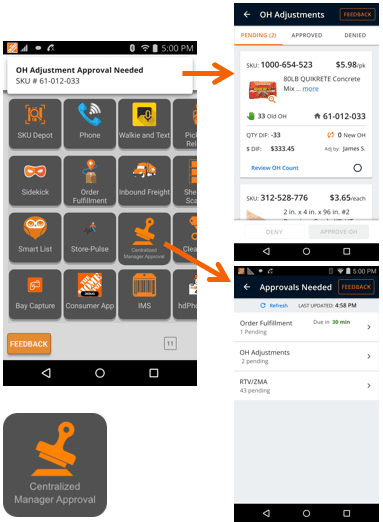
Option B: Chosen Direction
Shipped Product
Delivered a mobile-first approval system with clear ownership, visibility, and faster decision-making.
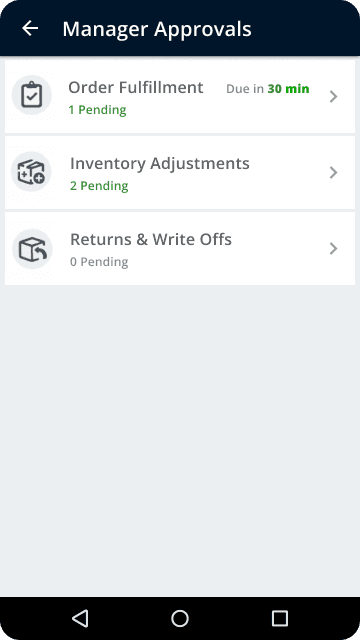
ENTRY POINT
Designed to scale across multiple approval types
Prioritized approvals by urgency
outcome
Established a scalable foundation for a unified approval system
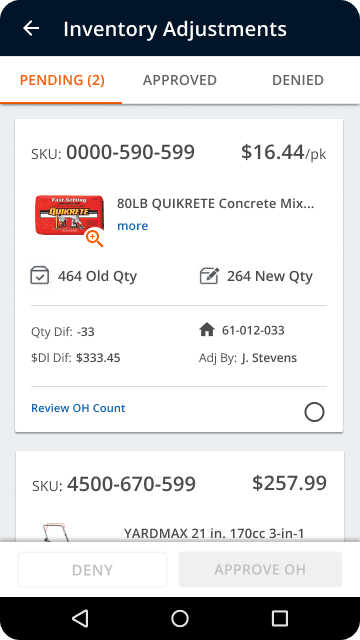
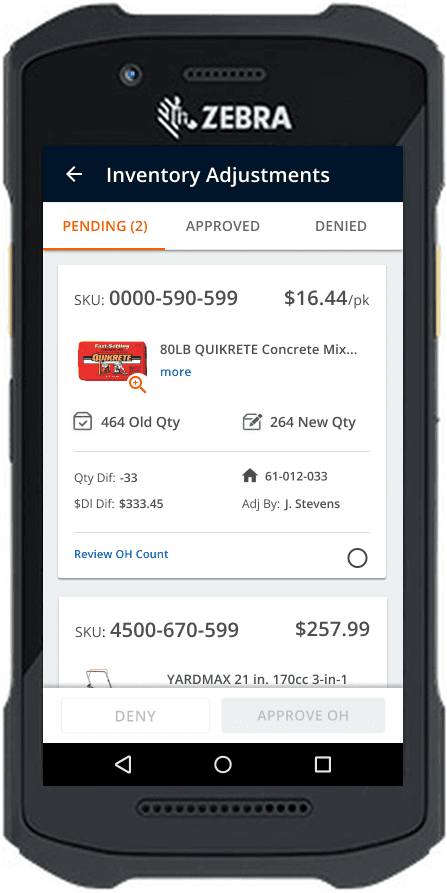
Pending ApprovalS
Product cards include product images for quick identification
Surfaced key details for each adjustment request
Enabled quick select, approve, or deny for trusted requests
outcome
Faster decisions without switching systems
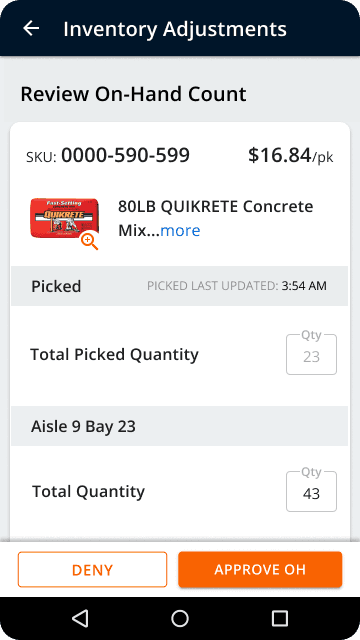
on- hand count REVIEW
Displayed all SKU locations for verification
Enabled real-time adjustments during validation
Reflected picked quantities for accurate validation
outcome
More accurate approvals through real-time validation

COLLABORATION
Aligned with engineering on constraints, dependencies, and delivery
Coordinated migration readiness across product teams
Drove alignment on entry point strategy
Rollout
Executed phased migration without disrupting store operations
Validated usability in-store to confirm adoption
Continued to refine and improve as we recieved feedback
Outcomes & Impact


+90


