
VENDOR ORDERING
Mobile ordering system for vendors to place, review, and submit inventory orders in-store.
Designed as an end-to-end service connecting store associates, vendors, and backend systems to improve adoption and ordering accuracy.
overview
$700M+ in annual orders processed through this system
5,600 vendors placing 9,000+ orders every week
Vendors spending 5–8 hours per store visit fighting slow, fragmented tools
52,000 hours saved annually after redesign
the challenge
Vendor ordering was essential to store replenishment, but fragmented across multiple systems.
Vendors had to switch between tools to gather data and complete orders, slowing workflows and reducing accuracy.
Alignment across interfaces, workflows, systems, and user roles was disjointed.
Opportunity: unify the experience into a single, efficient ordering service.
Discovery
Set out to understand how vendor ordering is handled in-store and who is responsible for it
Research
Analyzed enterprise usage data to understand scope
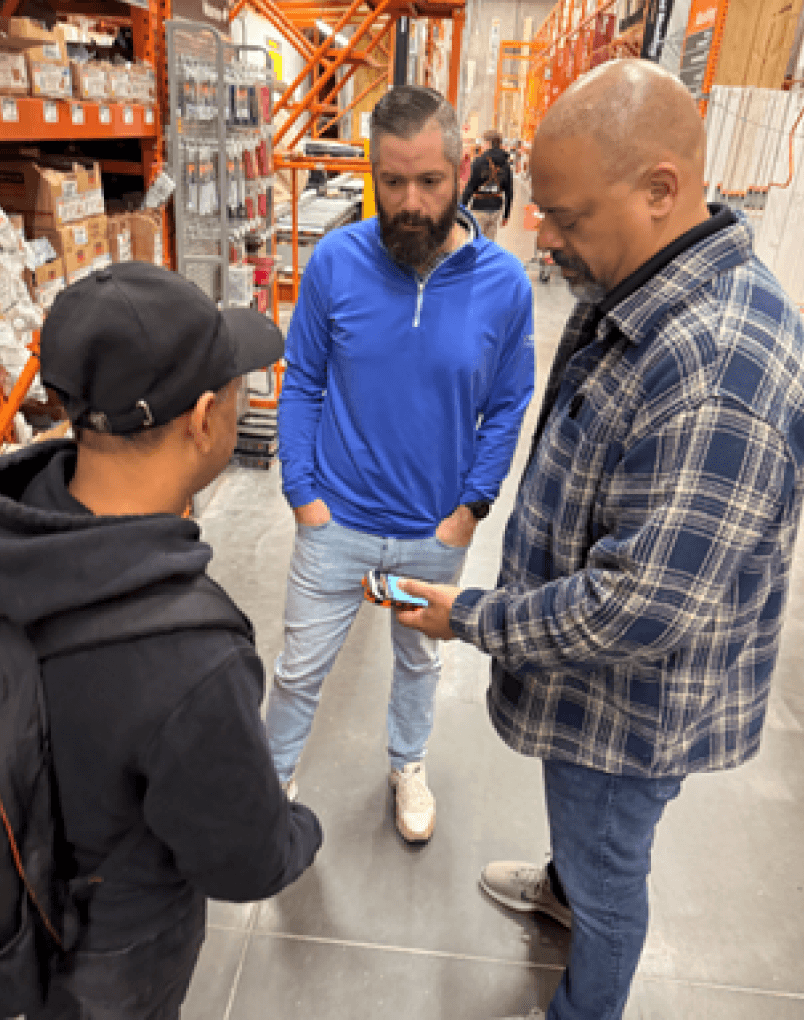
Conducted contextual interviews across stores
Surveyed associates to uncover additional use cases
Audited legacy ordering systems
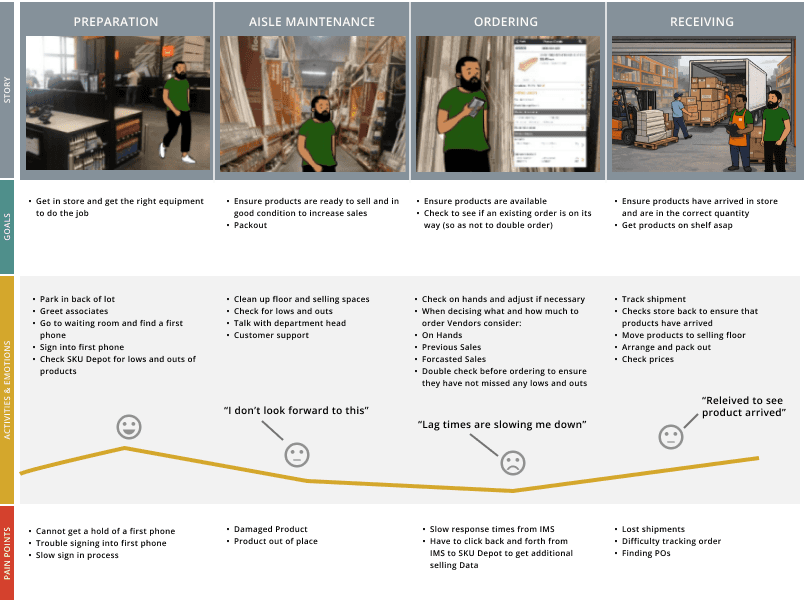
Mapped the current-state service, identifying breakdowns across user roles, handoffs, and system interactions.
Key Insights
Vendor ordering represented significant business impact
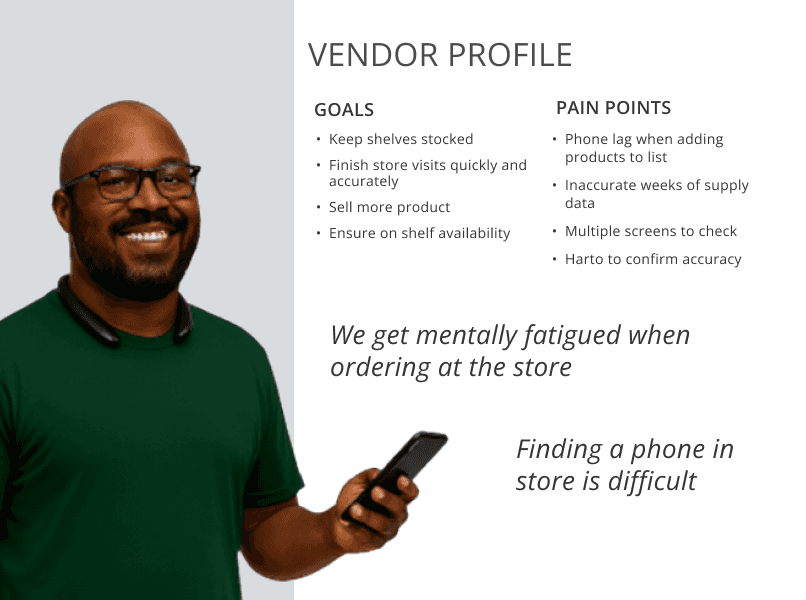
Primarily performed by vendors, not associates
Ordering required switching between systems to capture key info for decision making
Slow systems led users to prioritize speed over accuracy
Outcome: Focused on vendors as primary users, identifying key pain points and optimizing the experience for batch ordering
Exploring Directions
Explored approaches to support common ordering patterns and fast list building, considering impacts across upstream and downstream workflows.
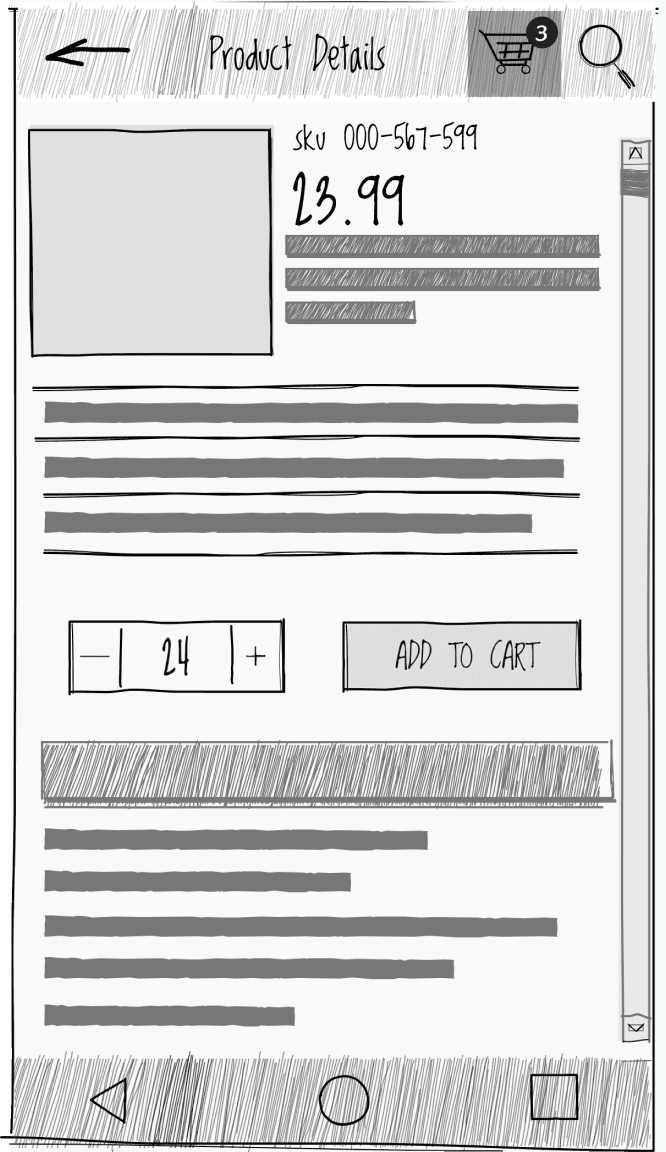
OPTION A: USE EXISTING SYSTEM
Approach
Embedded ordering into existing inventory tool
Reused familiar cart-based interaction patterns
Pros
Lower learning curve
Works within existing system
Cons
Slower for high-volume ordering
Constrained by legacy system
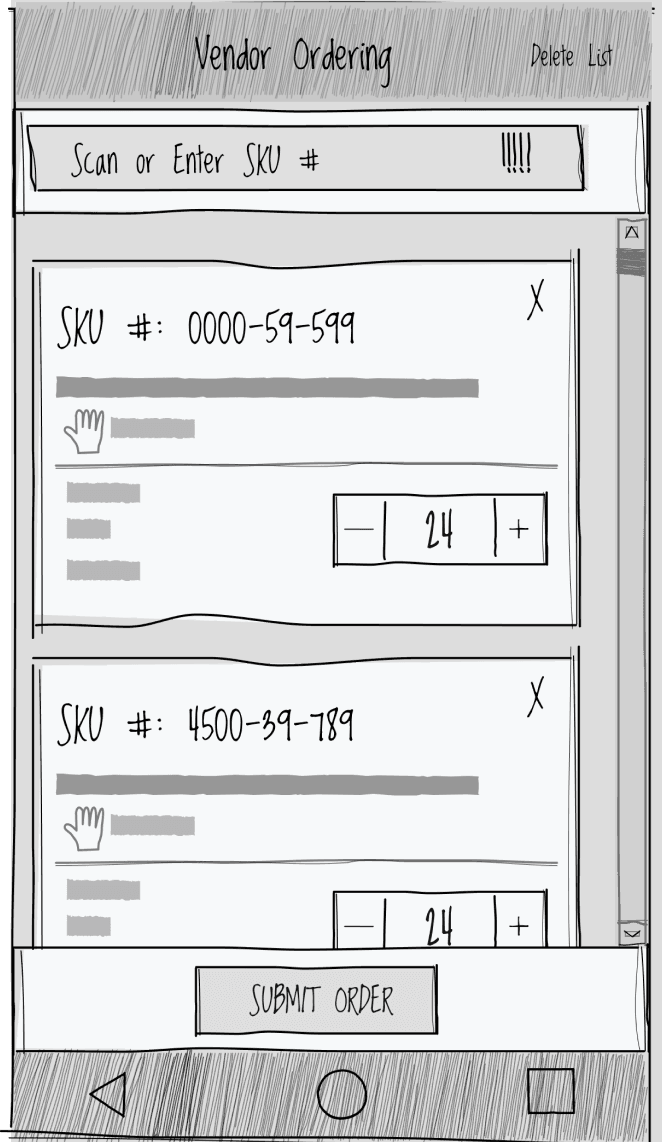
OPTION B: DEDICATED ORDERING FLOW
Approach
Created dedicated ordering component
Optimized for bulk entry and speed
Pros
Faster for high-volume vendors
Streamlined ordering workflow
Standalone solution
Cons
Higher initial learning curve
Required new data integrations for key inputs
DECISION
Selected a dedicated ordering flow to support high-volume ordering and improve decision-making
Partnered with engineering to enable required data without impacting performance
Ordering Flow
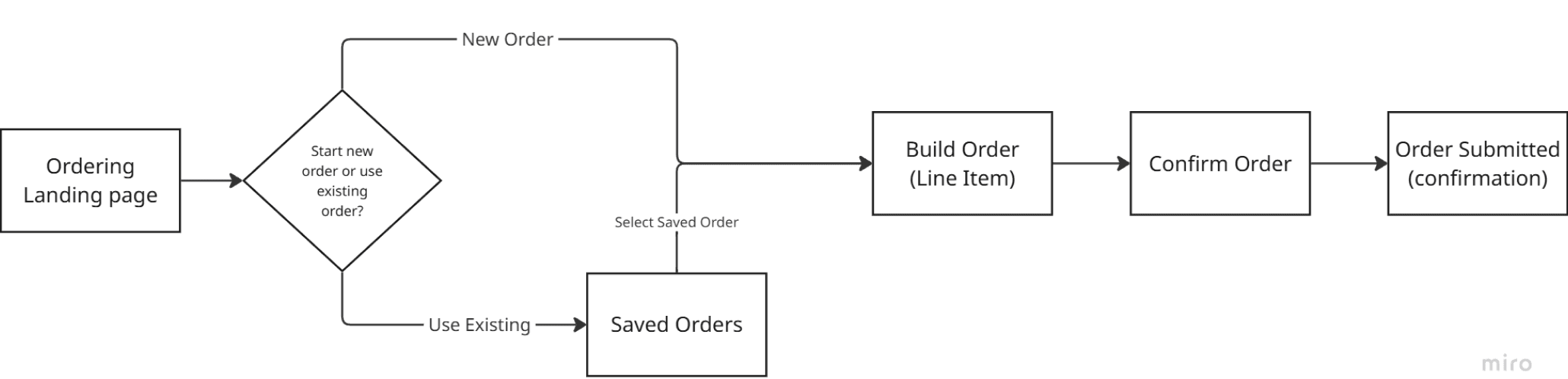
End-to-End ordering flow
Defined a streamlined end-to-end ordering flows, reducing system switching and supporting key ordering scenarios
Shipped Product
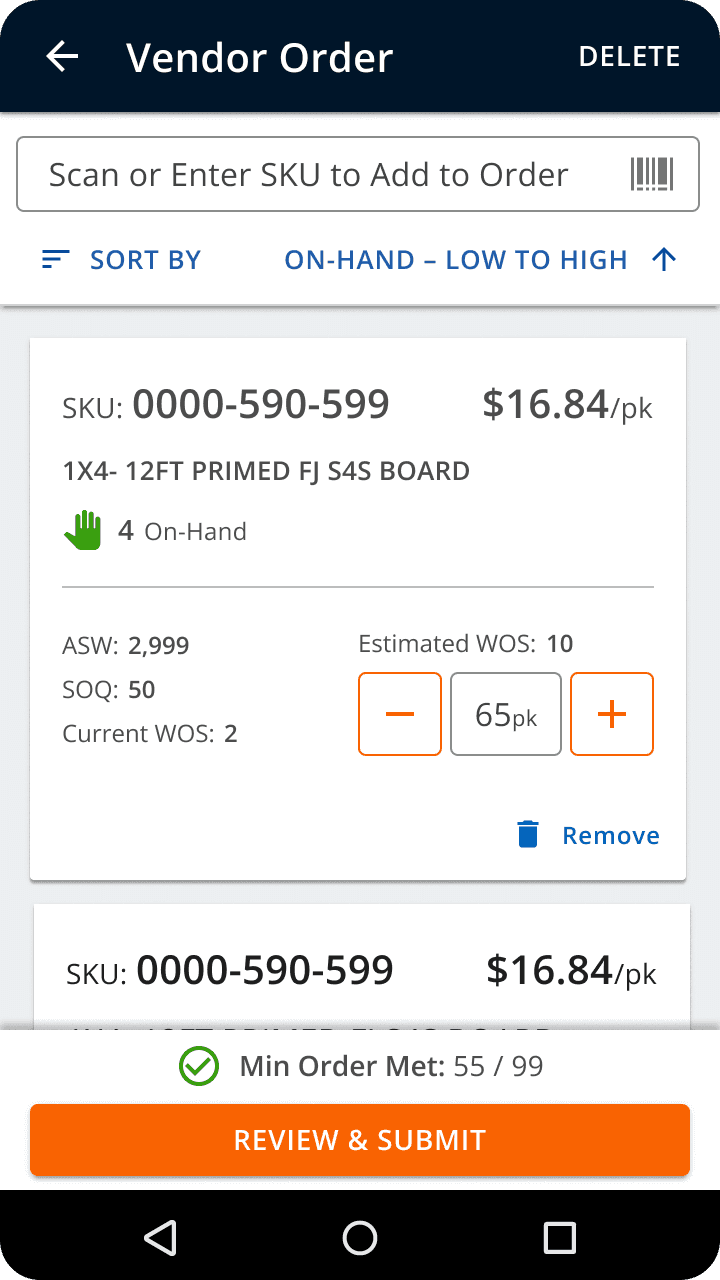
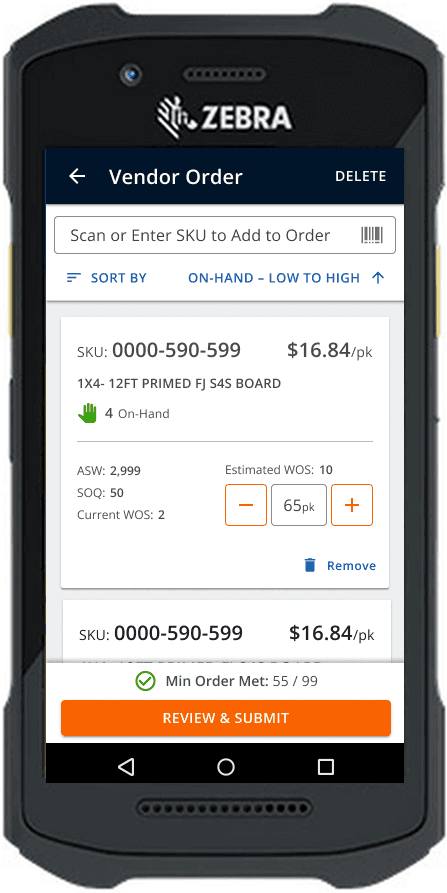
order list
Consolidated ordering into a single screen
Surfaced key data for quantity decisions
Auto-calculated WOS to guide ordering
Enabled fast scan-and-build for bulk ordering
outcome
Faster ordering with improved decision-making
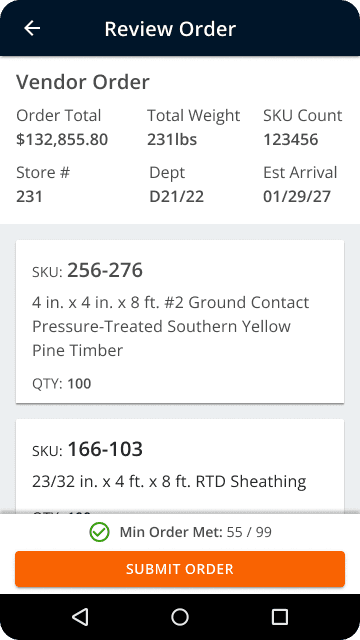
review order
Summarized order details before submission
Surfaced key data (minimums, weight, estimated arrival)
Reduced errors prior to submission
outcome
More accurate, confident orders
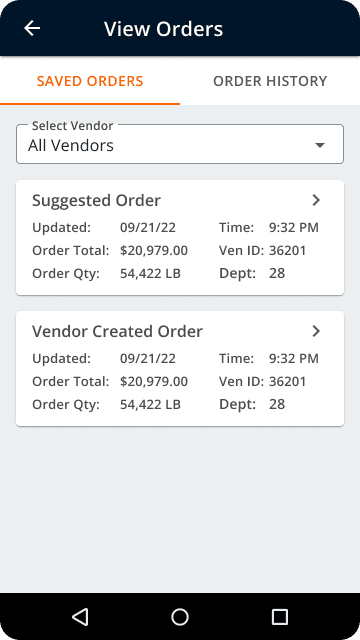
Saved orders
Provided pre-built suggested orders to reduce time spent building lists
Enabled users to track the status of submitted orders
Allowed vendors to resume and complete in-progress orders
outcome
Reduced time spent building orders and improved visibility into order status, eliminating the need to call for updates
COLLABORATION
Partnered closely with engineering during implementation
Conducted usability testing during build
Adapted flows based on technical constraints
Rollout
Defined phased rollout (flagship → regional → national)
Tracked adoption and friction using Pendo
Partnered with vendor teams to support rollout
Outcomes & Impact
52,000
Hours Saved Annually
1 hour saved per vendor visit, validated from prototype to production

Ordering Accuracy
Key inventory data surfaced in context, eliminating system switching

Faster Adoption
Simplified workflows drove consistent usage across vendor teams


